


SES.Hospedajes is the Spanish Interior Ministry website where you send your guests’ details. This is called the guest report, or «parte de viajeros». If the site is not working today, first look at what is on your screen. The site may not load. It may not let you log in. Or it may let you in but reject the report.
Each case has its own fix. The deadline does not stop: you have 24 hours to send the report. Keep proof of every attempt and try again.
First, find out which kind of failure it is
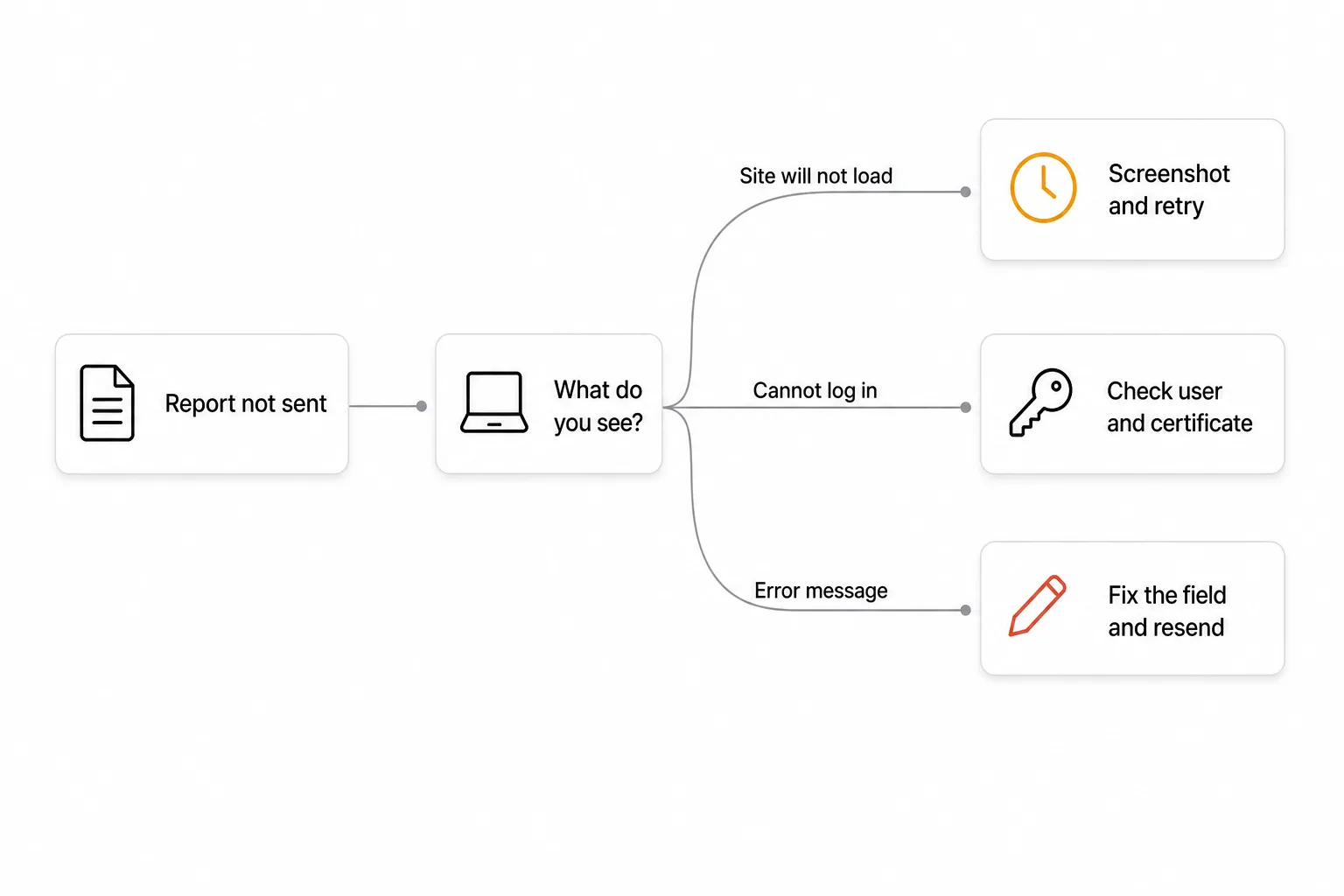
Almost every SES.Hospedajes problem falls into one of three groups. Knowing yours saves time.
| What you see | What it usually is | What you do |
|---|---|---|
| The page will not load, or shows «error 500» | The website is failing | Screenshot, wait and retry |
| It will not let you log in | Username or certificate | Check how you log in and which user |
| You get in, but the report returns a message | Some data in it is wrong | Fix the field it names and resend |
If the site will not load or shows error 500
An «error 500» means the server has failed. It is not your fault, and it is not your data.
Do this, in this order:
- Rule out your connection. Open another website. If it loads, your internet is fine.
- Try another browser or a private window. Sometimes the browser’s stored data causes the problem.
- Take a screenshot that shows the error, the date and the time.
- Try again every so often. Do not wait until tomorrow if your deadline runs out today.
- If it lasts for hours, email ses.hospedajes@interior.es. This is the address the Ministry gives for technical questions. Attach your screenshots.
If you cannot log in
Here the problem is usually how you log in, not the site.
- Your browser does not offer your certificate. A digital certificate is installed per browser and per computer. If you changed either, it may be missing. Also check it has not expired.
- You are using the wrong user. You log in to the website with your own access details. For check-in software to send reports for you, you need a different user: the web service user. It is usually your DNI or NIF (Spanish ID or tax number) followed by «WS», for example
12345678ZWS. - Sending from software is switched off. If your software says it cannot send, check in SES.Hospedajes that the web service option is turned on.
If you are not sure how to register or what data the report needs, our guide to guest registration in Spain starts from the beginning.
If the report comes back with an error
When SES.Hospedajes rejects a report, it almost always says why. Read the whole message. It usually names the field that is wrong.
If you send reports through software or by uploading a file, you may see messages like these. They come from the technical instructions for the SES.Hospedajes web service, so they are in Spanish:
| Message (Spanish) | What it means | What you do |
|---|---|---|
| Usuario incorrecto | The web service username or password is wrong | Check the «WS» username and reset the password if needed |
| El código de arrendador no existe en el sistema | Your SES.Hospedajes ID number was copied wrongly | Copy it again from your SES.Hospedajes account |
| El arrendador no tiene habilitada la opción de realizar operaciones a través del servicio web | Sending from software is not switched on | Turn it on in your SES.Hospedajes account |
| Valor incorrecto para el campo: … | A field has a format that is not accepted | Fix that field. It is often a date, a document or a town |
| Es obligatorio indicar un valor en el campo: … | A required field is empty | Ask the guest for it and resend |
| Error no controlado | The site failed, not your data | Retry later and keep proof |
If you send several reports at once, some may go through and others may not. Check one by one which were accepted. Resend only the ones that failed, so you do not send duplicates.
How to correct a report you already sent
If a report went in with a mistake, knowing about it is not enough. The Ministry says any change to the data means a new report.
The usual fix is to cancel the wrong report and send a new one with the right data. With Regi you can cancel a report from the app without logging in to SES.Hospedajes.
Do it soon. Wrong data counts as a breach of the rules, just like a late report.
How to avoid errors when you collect guest data
Most rejected reports do not fail when they are sent. They fail earlier, when the guest types their details. These are the fields that go wrong most:
- The right document. Spanish citizens use their DNI. EU citizens use their national ID card. Everyone else uses a passport.
- The support number. Only the Spanish DNI and NIE have one. A passport does not, so do not make one up.
- The town. The report does not carry the town’s name but an official code. Ask for the postal code first and pick the town from it.
- The dates. Check-out comes after check-in. A one-year stay is usually a typo in the year.
- Every guest. The whole group goes in the report, not just the person who booked.
- Minors. If they travel with an adult who is not their parent, the report says how they are related, for example teacher or guardian.
Our post on how we made online check-in faster explains how we check these fields before they reach the report.
Frequently asked questions
What do I do if SES.Hospedajes is down today and my deadline is running out?
Take screenshots with the date and time of each attempt. Keep trying. If it lasts, email ses.hospedajes@interior.es. As soon as the site is back, send the report.
Can I be fined for a mistake in the report?
Yes. According to the Interior Ministry, wrong data and late reports are minor offences, with fines from €100 to €600. Not reporting at all is a serious offence: €601 to €30,000.
Do I have to send the report again if the booking changes?
Yes. Any change to the data means a new report. For example, a new check-out date or an extra guest.
Why can’t my check-in software send reports?
It is almost always the user. The software needs the web service user, which ends in «WS», and its password. Also check that sending by web service is switched on in SES.Hospedajes.
Who do I ask a technical question?
The Interior Ministry answers technical questions at ses.hospedajes@interior.es.
Stop fighting with SES.Hospedajes
Details and sources
Deadline. Real Decreto 933/2021, the Spanish regulation on guest registration, requires the data to be sent immediately and within 24 hours at most. The clock starts when the booking is made (or cancelled) and again when the stay begins. Question 8 of the official FAQ says the same.
Fines. The fines come from Ley Orgánica 4/2015 on public safety. False data, errors, missing data and late reports are minor offences (€100 to €600). Not being registered or not reporting the data are serious offences (€601 to €30,000).
Error messages. The messages in the table are the texts the SES.Hospedajes web service returns to software that sends reports. Regi receives and handles them in its integration. On the website, when you fill in a report by hand, the warnings may be worded differently. The «DNI + WS» web service user is the one SES.Hospedajes asks for when you connect software.
Documents and support number. Questions 27 and 28 of the official FAQ say which document is valid for each person and where to find the DNI support number.
Site outages. Neither the regulation nor the FAQ has a rule for when the site is down. Our advice (screenshots, retries, emailing the technical address) is caution, not an official procedure.
- Real Decreto 933/2021, consolidated text (BOE)
- FAQ for the Hospedajes and vehicle rental platform, Interior Ministry (updated 9 April 2025, Spanish)
- SES.Hospedajes website
More on the blog:
- Guest registration in Spain: the complete guide to SES.Hospedajes
- Guest registration app: what it should do
- Hospederías Guardia Civil: where the report goes today
- How to cancel a guest report you already sent
This guide is for information only and is not legal advice. Always check the current requirements through the official channels of the Interior Ministry and SES.Hospedajes.