

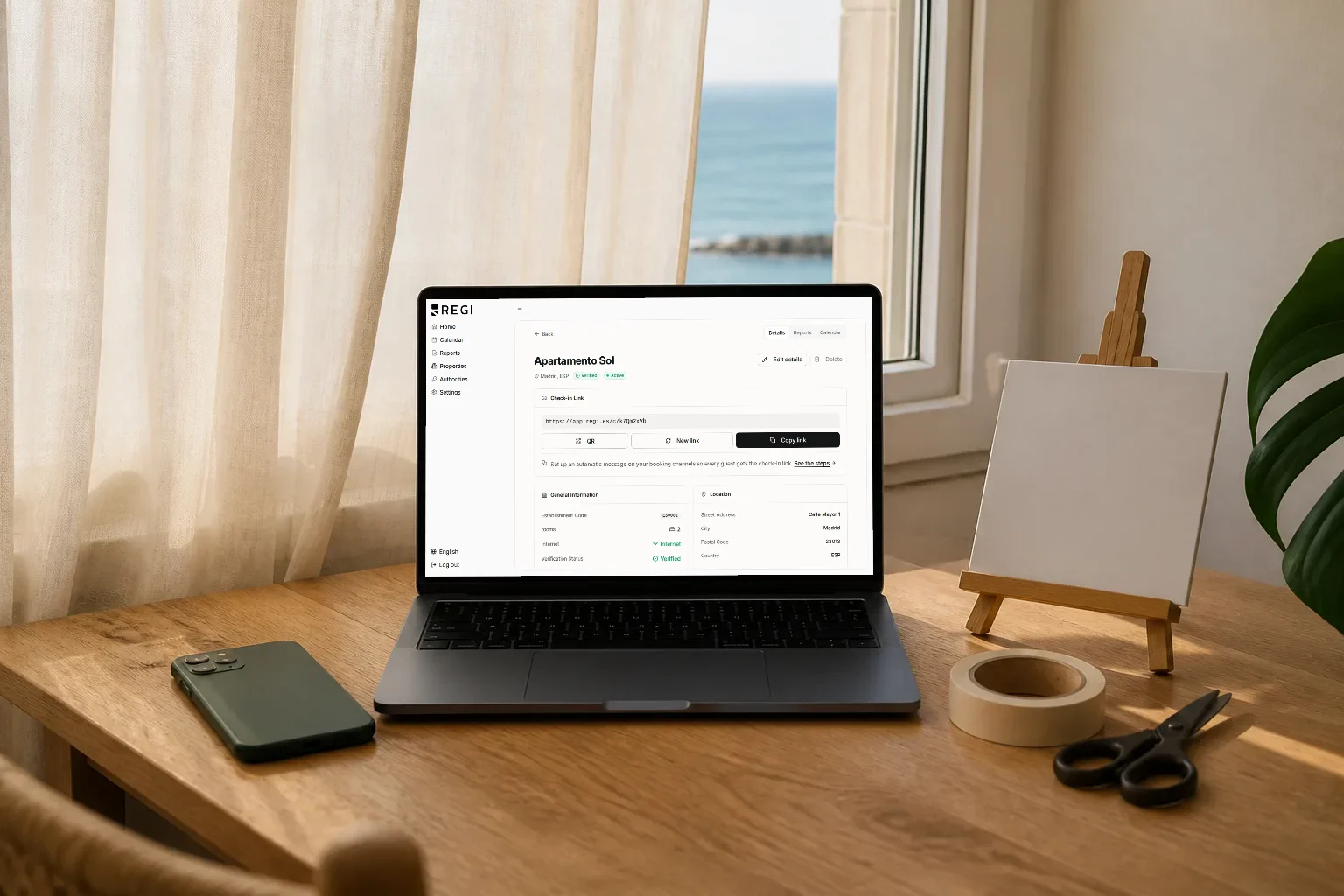
Of all the software you use to run your property, guests touch exactly one thing: the check-in link. They never see your dashboard, your calendars or the parte de viajeros (traveller report) filed with SES.Hospedajes, Spain’s central reporting system. They see a link in a message and decide, in two seconds, whether to open it or leave it for later.
“Later” is what leaves you chasing ID documents over WhatsApp the night before arrival. So we rebuilt Regi’s check-in link from scratch: short links, a QR code per property, a decent preview when you share it, and a guide for pasting it into each platform’s automatic messages. It is all about one thing: removing friction between your message and the guest’s form.
The problem: a long URL pasted into a message
Online check-in works when the guest completes it before arriving, and that happens when the link reaches them in a message they actually read and in a shape they trust. Long links fail at both: a sixty-character URL dropped into the middle of a Booking.com message looks like spam, breaks when copied and is impossible to dictate over the phone. And if the platform renders it with no preview, the guest is staring at a string of characters with no context.
You know how it ends: the form is left half done, you end up asking for passports over WhatsApp the night before, and arrival day disappears into photocopies.
Short links: what actually changes
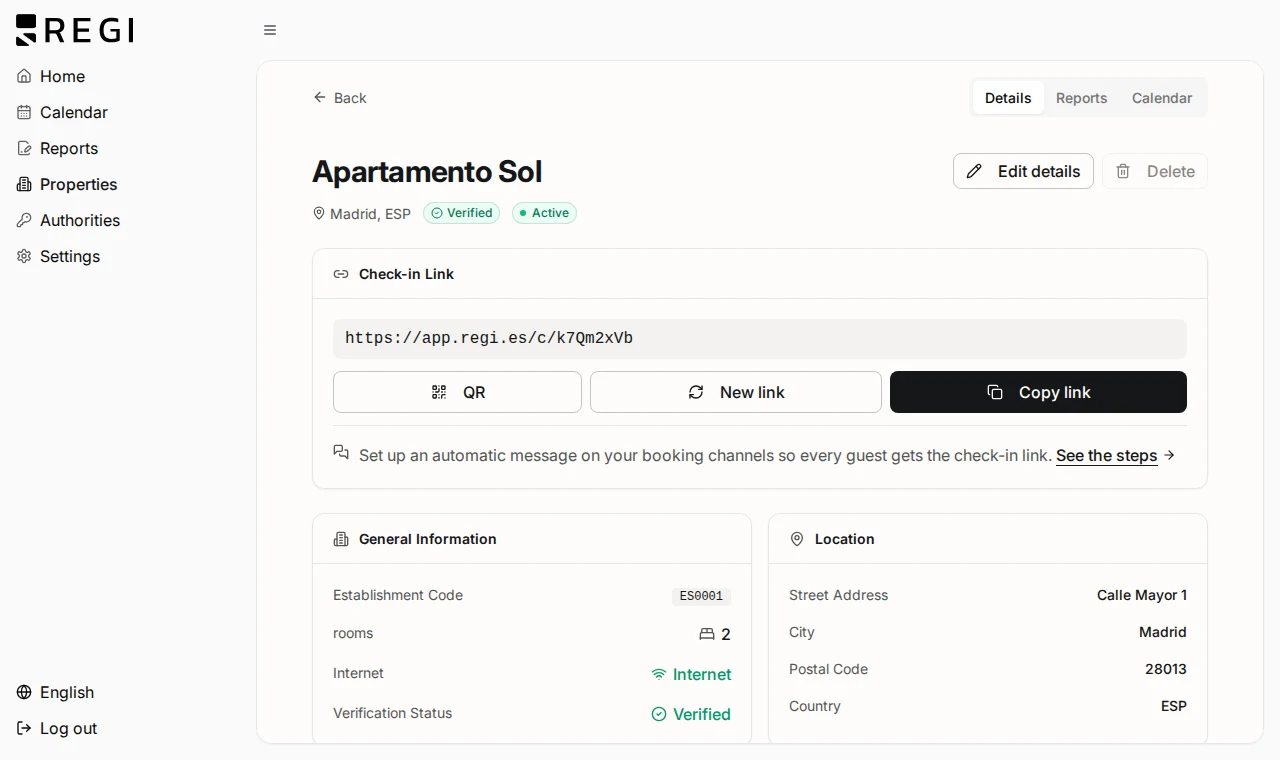
Each property’s check-in link now has a short form, of the type /c/{token}. Same door as always, with a far more manageable address:
- It fits in a message without taking three lines or breaking.
- It can be dictated over the phone to a guest who cannot find the email.
- It can be typed by hand without errors if it comes to that.
- It can be recovered: open the property and there it is.
A QR code per property, ready to print
Every property has its own link section, QR code included. Not decoration: it is the channel that works when the message did not.
- On the door or in the hallway, for the guest who arrives without having checked in.
- In the folder or the welcome letter, next to the Wi-Fi and the house rules.
- Beside the key box, which is where guests look the moment they arrive.
- At the desk, if you run several properties with a reception or handover point.
Each home has its own link and therefore its own QR code. Do not mix them: print the one for each property and leave it there, so the data arrives already attached to the right property.
It shares with a preview, not as a bare URL
Paste the link into WhatsApp, an email or social media and a preview card now appears (Open Graph): a block with a title and an image instead of a string of characters. It looks like a cosmetic detail and it is a conversion detail:
- It gives context: the guest sees what the link is before tapping it.
- It builds trust: a link with a card does not look like phishing, and a traveller who has just paid distrusts odd links.
- It takes up space: a card stands out far more than a line of blue text.
Rotating the link: why it asks you to type a confirmation
You can rotate a property’s link: generate a new one and retire the previous one. That is what you want if you suspect it has been shared somewhere it should not have been. But understand the consequence before you tap, because rotating invalidates the link you already sent: the automatic messages carrying it, the emails that went out and the printed QR codes all stop leading anywhere. So Regi asks you to type a confirmation to proceed, rather than hiding it behind a button you can hit by accident.
The per-channel setup guide
Regi includes a per-channel setup guide: how to paste the link into each platform’s automatic messages, step by step and with the originating property already preselected, so you cannot pick the wrong home. Set it once and it goes out with every booking.
| Moment | What to include |
|---|---|
| Automatic message on booking | The link, with one line saying how long it takes |
| Pre-arrival reminder | The same link, noting they can ignore it if already done |
| Arrival day message | The link, with access instructions underneath |
| In the property | The printed QR code, for whoever arrives without doing it |
If you run several properties, start by connecting your calendars: once bookings are in, each one already knows which property it belongs to, and you can copy that property’s check-in link straight from the booking itself, without detouring through the properties section.
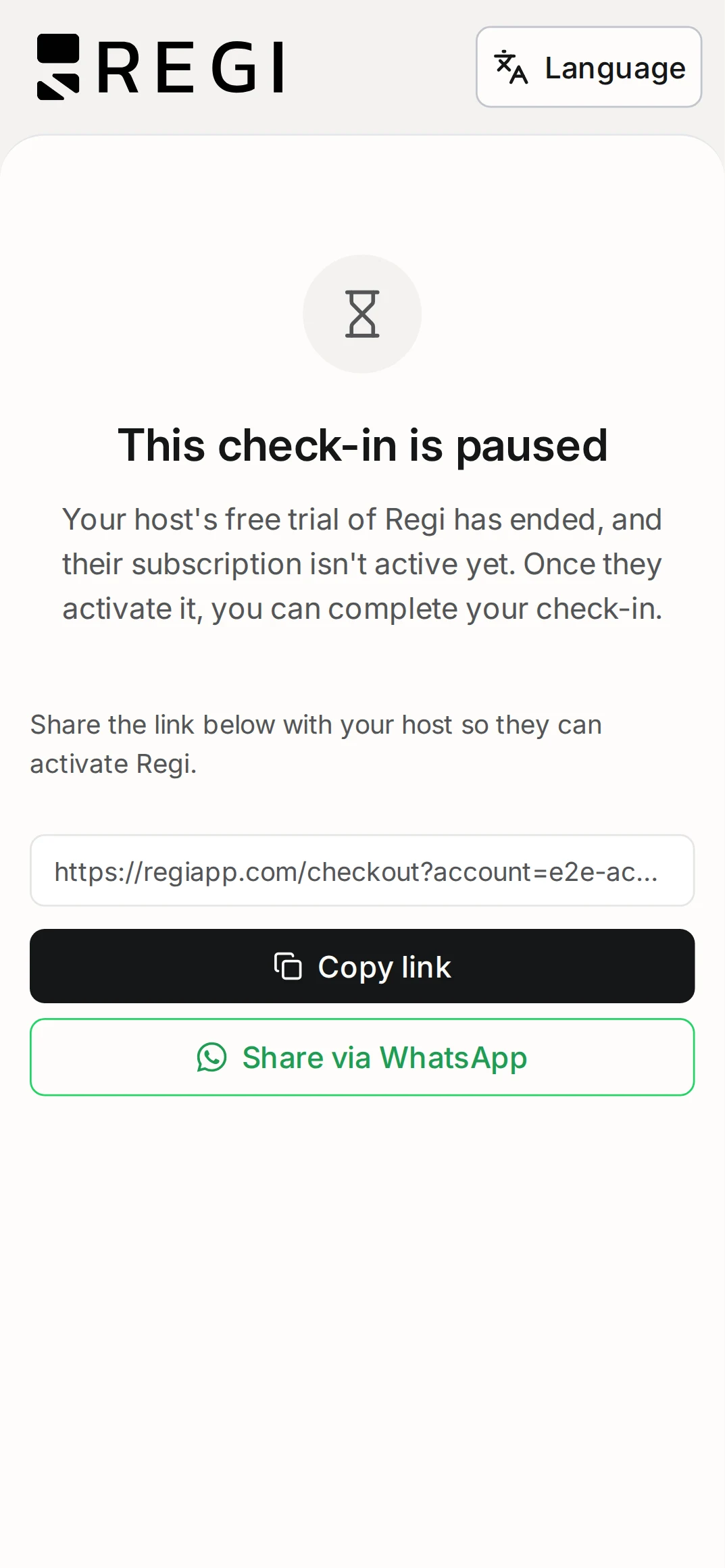
When a link does not work, the screen explains why
A link can legitimately stop working. What it must not do is fail with a generic error, because then the guest messages you and you do not know what happened either. Regi shows blocked-state screens that explain the reason: the guest understands it without asking you and, when they do ask, you fix it first time.
A link shared with the whole family does not lock itself out
This is technical on the inside and very practical on the outside, so here it is in plain language. Every serious service limits how many times an address can be called in a short window, so nobody can brute-force links until one lands. The usual approach counts those requests per caller, per internet connection, and in check-in that backfires: a family of five on the same Wi-Fi counts as a single visitor making an awful lot of requests, and the fourth guest finds the door shut because of the three before them.
In Regi the limit is tied to the link, not to whoever opens it:
- You can share it with the whole group without fear of it locking itself out.
- It makes no difference whether they use the same Wi-Fi, mobile data, or one shared phone.
- The protection stays active: what gets limited is abusive use of a link, not a normal group arriving.
Where the link fits in the guest sequence
The link is the thread running through all your pre-arrival communication. Three moments, one link:
- On booking confirmation. This is when you have the most attention, because the guest has just paid. The full template lives in the booking confirmation email post, so we will not repeat it here.
- A few days before arrival. A short reminder for whoever left it half done. The short link shines here: the whole message fits in a notification.
- On arrival day. The link with the access instructions. And if the guest turns up without having done it, the QR code on the door finishes the job.
What the guest finds when they open it is their online check-in from the phone (document, details and signature), and arrival as a complete experience is the territory of our check-in app post.
Why this link matters legally
It is worth remembering what the link exists for. It is not a courtesy form: it is how the traveller’s data reaches the parte de viajeros (traveller report) that Regi files with SES.Hospedajes, under Real Decreto 933/2021 (Royal Decree 933/2021). No opened link means no data, no data means no report, and no report means exposure to fines of up to €30,000. Every bit of friction you remove between your message and the form is one less bit of friction between you and compliance.
The full legal framework, which data is reported and within what deadlines, is developed in our guide to the traveller registration app.
Frequently asked questions
Do I have to re-send the link to guests who already received it? No. Old links keep working and coexist with the short one, so you update your templates whenever it suits you and no booking is left hanging.
Does every property get its own link and its own QR code? Yes. Print the one for each home and leave it in that home: that way the guest’s data arrives already attached to the correct property.
What happens if I rotate a property’s link? The previous one stops working, and everything carrying it has to be updated: automatic messages, email templates and printed QR codes. That is why Regi asks you to type a confirmation first.
Can the link get blocked if a lot of people open it at once? Not through normal use. The limit is tied to the link itself, not to the connection of whoever opens it, so a whole family on the same Wi-Fi will not block it.