

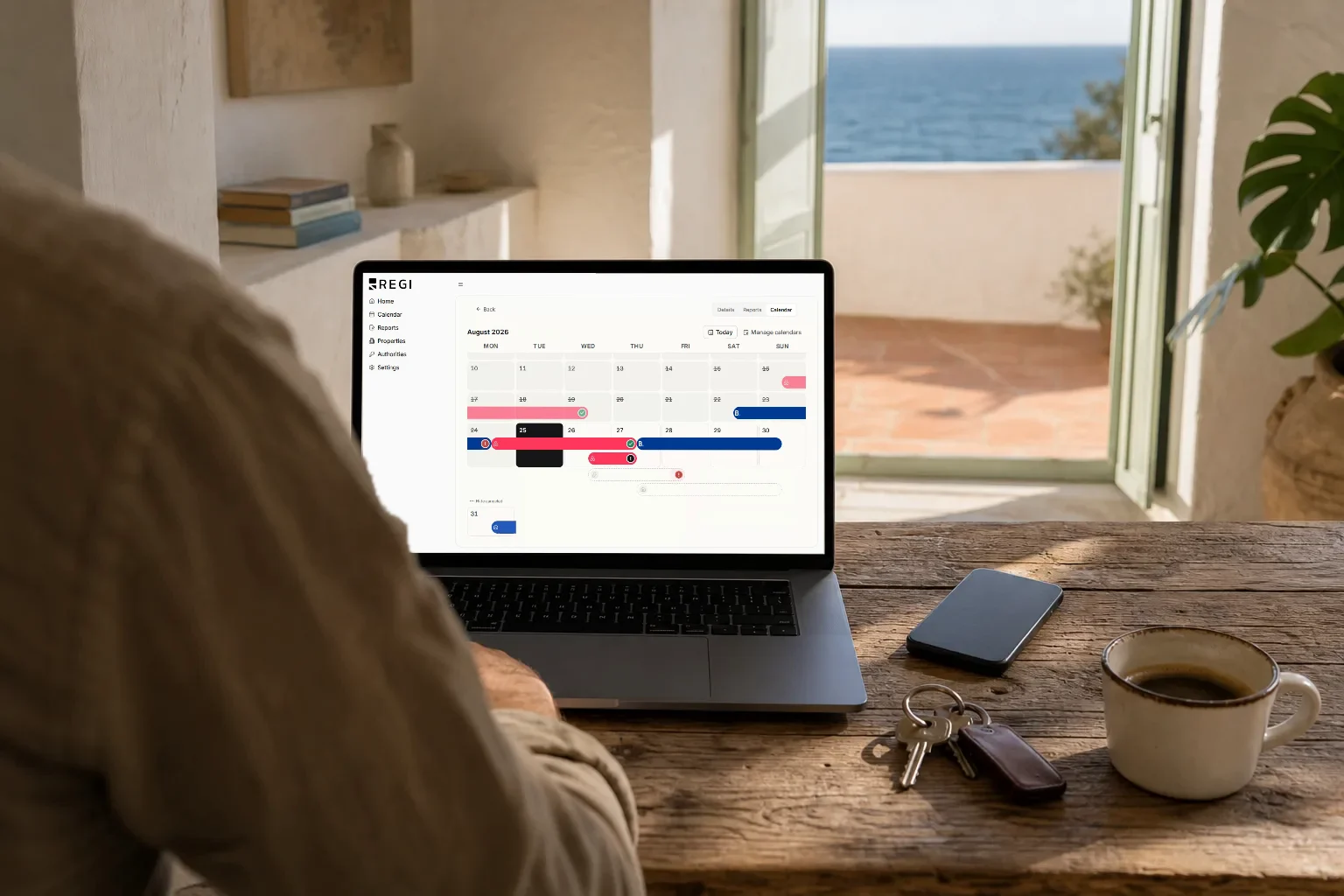
If you list the same apartment on Airbnb, on Booking.com and still take direct bookings, you know the routine: open three tabs, check which new dates came in, copy them into a spreadsheet and hope you got them right. One mistyped date turns into a double booking; one reservation you miss turns into a parte de viajeros (the traveller report Spanish law requires) that never gets filed on time.
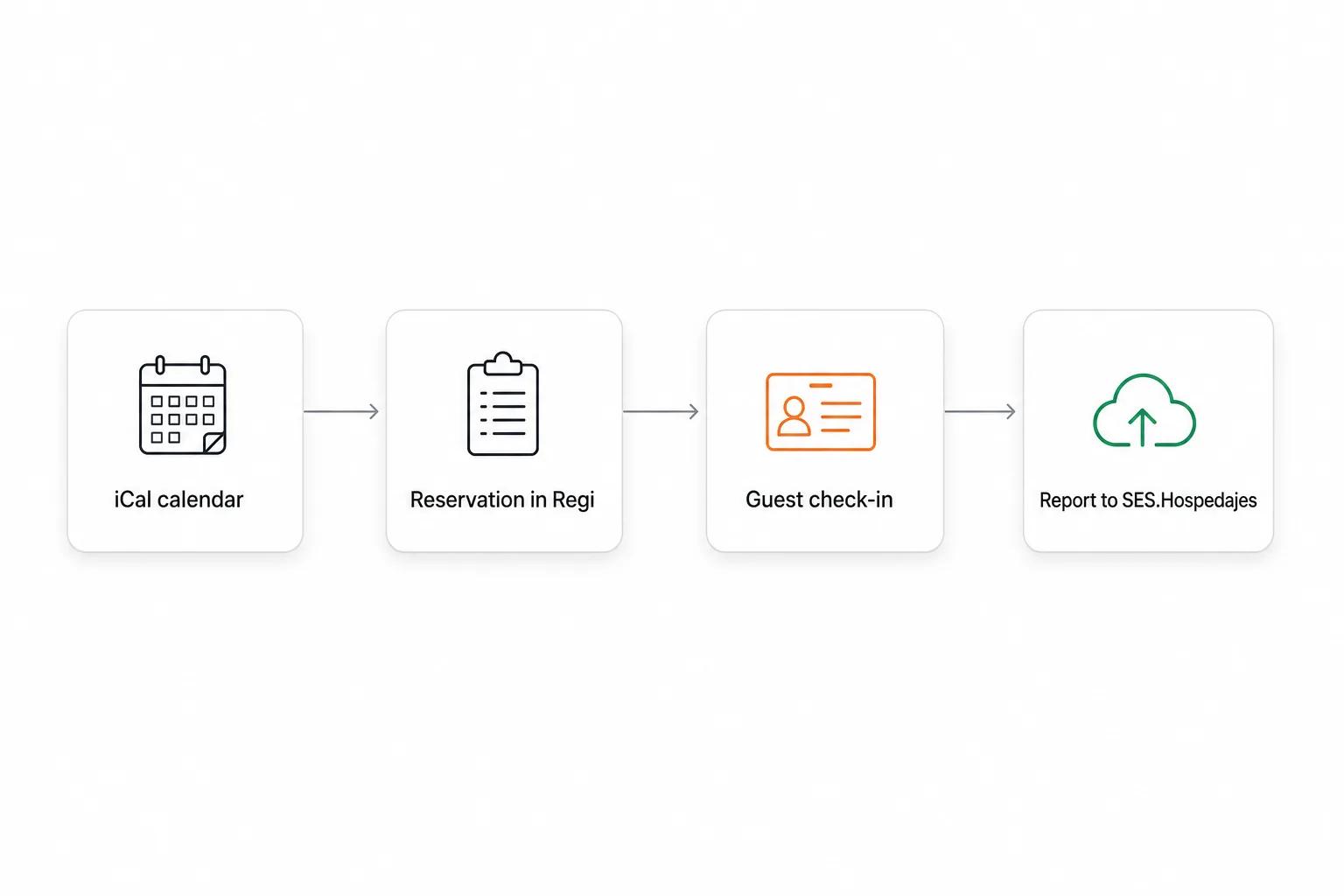
Regi now imports your reservations on its own. You connect each platform’s iCal URL once and the bookings come in by themselves, with their dates and their lodging attached. From then on you never copy anything by hand: you open Regi and see who is arriving, when, and at which property.
Below: what iCal sync actually is, which platforms you can connect, how to hook up a calendar step by step, and above all where the limit sits, because a calendar carries some things and not others.
What iCal sync is, and why it matters
iCal (.ics) is a standard calendar format that nearly every vacation rental platform publishes. Each channel generates a URL for your listing: open it and you do not get a web page, you get a file listing the booked dates. It is the same mechanism the OTAs use between themselves so the same week does not get sold twice.
What Regi does with that URL is simple: it reads it and creates the reservation for you. No manual import, no CSV, no retyping dates. If a booking lands on Booking.com tomorrow for the October long weekend, it shows up in Regi without you lifting a finger.
For a host with two or three properties spread across several channels, that changes the day to day in three concrete ways:
- One place to look. No more hopping between extranets to find out who arrives this week.
- Fewer transcription errors. The dates come from the platform, not from your fingers.
- Nothing slips off the legal radar. In Spain, every synced reservation is a stay that needs its traveller report.
Which platforms you can connect
Regi has four first-class platforms, each handled on its own terms, plus an open option for everything else:
| Platform | What you connect |
|---|---|
| Airbnb | Your listing’s calendar export |
| Booking | The synced calendar from your extranet |
| Vrbo | Listings in the Vrbo / HomeAway ecosystem |
| Holidu | Listings published on Holidu |
| Other | Any other valid iCal feed |
The “Other” option is not a half-finished catch-all: Regi’s validator accepts feeds from services such as Google Calendar, Smoobu, Lodgify, Beds24, HomeToGo, TripAdvisor and OwnerRez, plus in-house PMS exports. If your tool exports a valid .ics, it goes in.
Plenty of hosts already track occupancy in a Google Calendar shared with their cleaner, or run a channel manager that consolidates the smaller channels. Nothing needs dismantling: connect that calendar and you are done.
If you are still finding your feet on either of the two big channels, we have a guide for each: Airbnb for property owners and the complete Booking guide for owners.
How to connect a calendar, step by step
- Copy the iCal URL from the source platform. Every channel publishes its export calendar from its own host dashboard. It is a long URL ending in
.ics, and it is worth treating like a credential: whoever holds it can see your occupancy. - Open the Reservations section in Regi and add a calendar to the matching lodging.
- Pick the platform (Airbnb, Booking, Vrbo, Holidu) or choose “Other” if your feed comes from somewhere else.
- Paste the URL and save. Regi validates the feed right there.
- Check the lodging card. Connected calendars are listed on it, so at a glance you know which property is synced and with which channels.
Cannot find the URL? Inside the empty state of Reservations, before you have any bookings at all, Regi ships recorded walkthroughs: one for locating the Airbnb calendar and one for adding an iCal feed to a lodging. And disconnecting a calendar is just as reversible: remove it whenever you like, and doing it twice by accident breaks nothing.
Importing several calendars at once
Five apartments across two channels means ten URLs. That is why Regi supports bulk import: paste several calendars in one go and the system works through them, keeping the status visible while it does. If two of those URLs turn out to be the same feed, it spots that and refuses the duplicate.
What you see once the reservations are in
Syncing is worth nothing if the data ends up in a flat list. Regi gives you two ways to look at it:
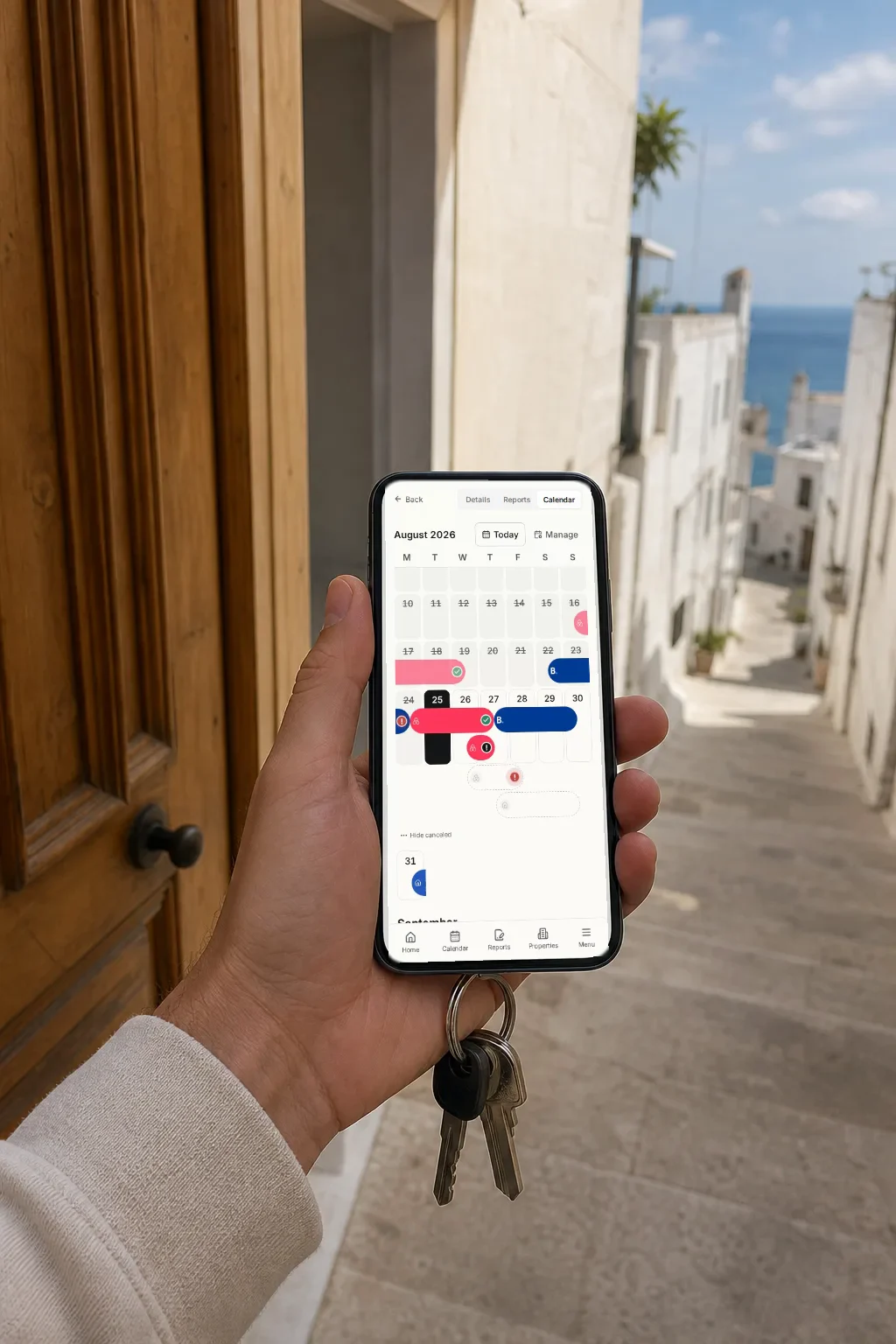
- A calendar view per lodging, so you see occupancy the way you picture it: by week, with the gaps visible.
- A grouped reservation timeline across your whole portfolio, for when what you want to know is what happens over the next few days.
Upcoming reservations are also the main list on Inicio (Home), the dashboard’s landing screen.
Manual reservations for direct bookings
Not everything arrives through a channel. The repeat guest who comes back every August, the booking taken over the phone, the friend of a friend: those you create by hand from the dashboard or straight from the calendar, and delete just as easily. They sit alongside the synced ones with no difference in treatment, so your calendar reflects real occupancy and not just the OTA slice of it. And since direct bookings usually carry the better margin, it pays to count them when you work out the profitability of your holiday rental.
The awkward cases Regi handles for you
iCal is a standard, but every platform fills it in its own way. These are the three odd cases Regi takes care of so you do not have to think about them.
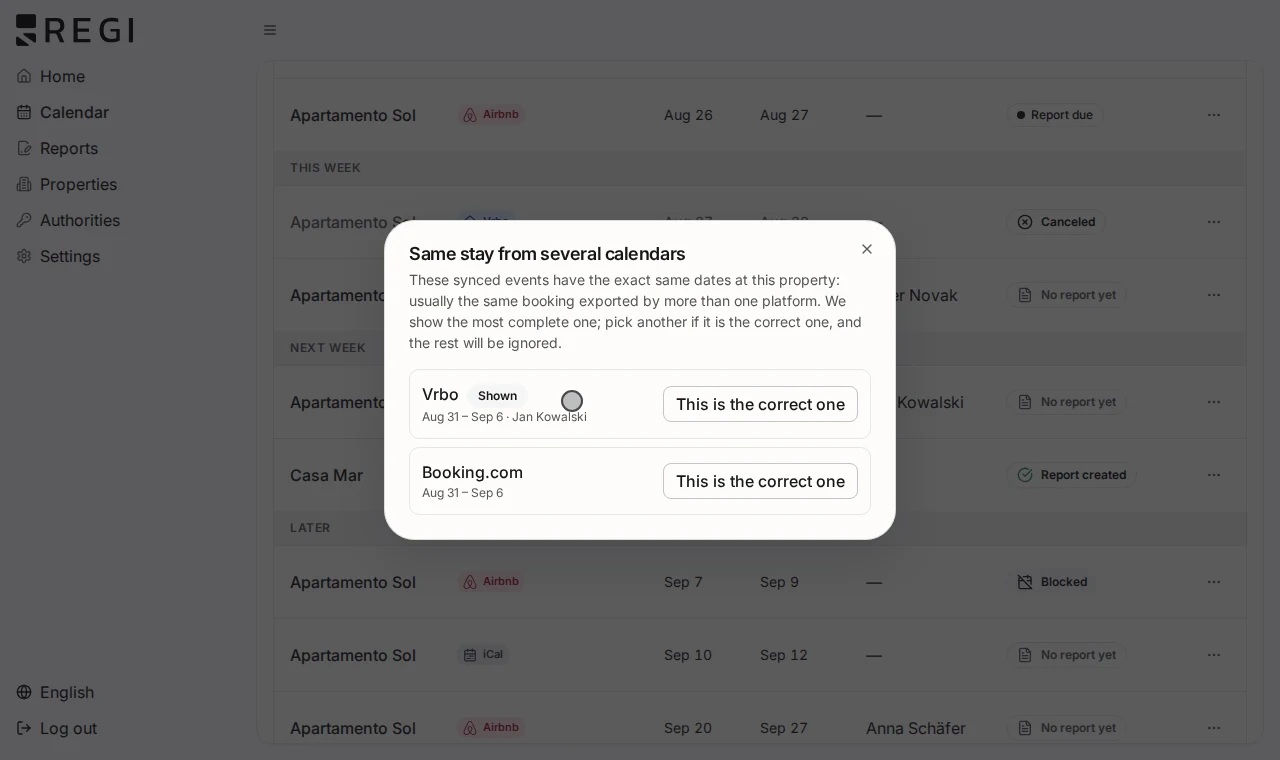
Duplicates across feeds. When the same stay arrives through two different calendars (common if you run a channel manager alongside the original channel), Regi detects it and lets you choose which one wins, instead of showing you two identical reservations.
Blocks that are not bookings. The days you close for maintenance or keep for your own use travel down the same feed as real bookings. That is what the “ignored” state is for: mark the block and it stops behaving like a stay with guests in it.
Long Booking blocks. When a Booking event runs longer than 60 nights, it is far more likely to be an availability closure than a real stay. Regi treats it as a block by default and tells you it had to infer that: we would rather flag an assumption than let you find it by accident.
From synced reservation to parte de viajeros
This is where sync stops being convenience and becomes compliance. In Spain, every stay triggers the obligation to register travellers and report their data to SES.Hospedajes (the national police reporting platform), under Real Decreto 933/2021. Put another way: every reservation that arrives via iCal is a check-in waiting to happen.
Because reservations arrive on their own, the list of “who still needs to check in” builds itself too. And from any reservation you can copy that lodging’s check-in link: paste it into the platform’s messaging, into WhatsApp, or into your booking confirmation email.
If you would rather wire it permanently into each channel’s automated messages, the link has its own section inside each lodging, with a QR code and a per-channel setup guide.
What iCal does NOT do, said plainly
A calendar is a calendar. An iCal feed carries dates and availability, plus at most a guest hint that depends on the platform: Vrbo puts the guest name in the event title, Airbnb adds the confirmation code and the last four digits of the phone number, and Booking includes nothing at all, just a busy range that does not even distinguish a booking from a block. Regi shows those hints when they exist. What never arrives this way is the identity the parte requires: no document numbers, no passport photos, no signatures, no date of birth for each companion. That is not a Regi limitation, it is simply what the format contains.
So sync solves half the job, knowing which reservations you have, but the guest still has to complete the check-in: fill in their details and sign from their phone. That is what lets the parte de viajeros be filed automatically with SES.Hospedajes, and what protects you from penalties, which reach €30,000.
The healthy way to see it: iCal tells you when there is a stay and, depending on the platform, a hint of who; online check-in tells you who they actually are. You need both pieces, and the first one no longer costs you any time.
Frequently asked questions
How many calendars can I connect to a single lodging? As many as you need: one per channel you list on is the usual setup. If you try to add the same feed twice, Regi refuses the duplicate.
My platform is not on the list. Can I still use it? Yes. Choose “Other” and paste the URL. The validator accepts feeds from Google Calendar, Smoobu, Lodgify, Beds24, HomeToGo, TripAdvisor and OwnerRez, among others, plus in-house PMS exports.
Does the sync bring in guest data for traveller registration? No. An iCal feed only carries dates and availability. Identity data comes from the guest when they complete the online check-in, and that is what gets reported to SES.Hospedajes.
What about days I block for maintenance or personal use? They arrive through the same calendar as bookings, so you mark them as “ignored” and they stop being treated as a stay. Booking blocks longer than 60 nights are taken as blocks by default, and Regi warns you that it inferred that.
And direct bookings that never touch a platform? You create them as a manual reservation from the dashboard or the calendar. They behave exactly like synced ones, check-in link included.